Announcement

Collapse
No announcement yet.

E-500 Firmware Update (in case i buy one ...)

Collapse
X
 
  • Filter
  • Time
  • Show
Clear All
new posts

  • E-500 Firmware Update (in case i buy one ...)

    Hi,

    I'm interested in buying an E-500, I've found one and the seller lives near me , so i can also test the device before buying it.

    What i really don't know if I can connect the camera to my pc with up to date OS (Windows 11) and perform firmware update, in case i need it and in case firmware files are available nowadays.

    Any suggestions ?
    I'm not a native speaker

  • #2
    Yes, you should be able to, using OM Workspace to update the camera from the OM System Joint Update server via a USB cable. Even if you don't have a cable they are readily available on eBay or Amazon. You do need to ensure the battery is dependable and fully charged though.

    1.3 (not 1.2, as I originally posted) was the last release.

    Ian
    Last edited by Ian; 4 April 2024, 10:05 PM.
    Founder and editor of:
    Olympus UK E-System User Group (https://www.e-group.uk.net)

    Comment


    • #3
      Here is what OMSystem have to say about updates: https://support.jp.omsystem.com/en/s...tware/firm/e1/

      Scroll down until you get to E-500. Firmware version 1.3 on November 20th, 2007 was the last release.

      Larry Griffiths

      Cameras: OM System OM-1, Olympus OM-D E-M1 Mk III, Olympus OM-D E-M1 | Flashes: Olympus FL-900R, Olympus FL-50R
      Lenses: Too many to list.

      Comment


      • #4
        Originally posted by griffljg View Post
        Here is what OMSystem have to say about updates: https://support.jp.omsystem.com/en/s...tware/firm/e1/

        Scroll down until you get to E-500. Firmware version 1.3 on November 20th, 2007 was the last release.
        You are right! 1.3, not 1.2 - sorry, the page is a bit confusing (at least to me )

        Ian
        Founder and editor of:
        Olympus UK E-System User Group (https://www.e-group.uk.net)

        Comment


        • #5
          It was a great camera in it's day I loved mine to death (literally)

          One minor feature if you plan to use raw format then DXO only started supporting Olympus with the E-510 so you can't use that on the ORF files from the 500

          Regards
          Andy
          4/3 Kit E510, E30 + 35macro, 11-22, 14-45 (x2), 14-54, 40-150 (both types), 70-300,
          m 4/3 EM1MkII + 60 macro, 12-100 Pro, 100-400
          FL20, FL36 x2 , FL50, cactus slaves etc.
          The Boss (Mrs Shenstone) E620, EM10-II, 14-41Ez, 40-150R, 9 cap and whatever she can nick from me when she wants it

          My places
          http://www.shenstone.me.uk
          http://landroverkaty.blogspot.com/
          https://vimeo.com/shenstone
          http://cardiffnaturalists.org.uk/
          http://swga.org.uk/

          Comment


          • #6
            Originally posted by shenstone View Post
            It was a great camera in it's day I loved mine to death (literally)

            One minor feature if you plan to use raw format then DXO only started supporting Olympus with the E-510 so you can't use that on the ORF files from the 500

            Regards
            Andy
            Not directly, but if you convert to DNG using the free Adobe DNG converter I think this would get around the problem.

            Ian
            Founder and editor of:
            Olympus UK E-System User Group (https://www.e-group.uk.net)

            Comment


            • #7
              Reviving this thread as I've just bought an E-500 which has the lowest firmware version. I now see on the Olympus website it says "* Firmware download service was terminated." for a few models including the E-500. I presume it is now impossible to update? Anyone with any knowledge in this matter able to shed some light? I've been able to update my E-3 and E-510 recently using OM Workspace but no luck on the E-500. Thanks.

              Comment


              • #8
                Originally posted by Captaintomo View Post
                Reviving this thread as I've just bought an E-500 which has the lowest firmware version. I now see on the Olympus website it says "* Firmware download service was terminated." for a few models including the E-500. I presume it is now impossible to update? Anyone with any knowledge in this matter able to shed some light? I've been able to update my E-3 and E-510 recently using OM Workspace but no luck on the E-500. Thanks.
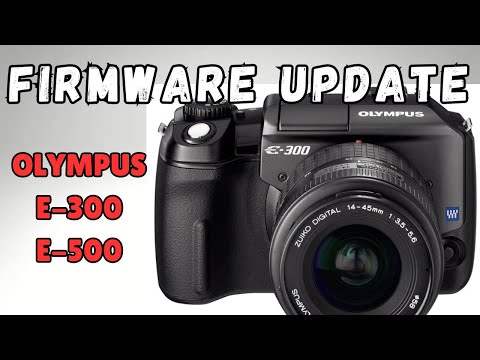
                This Youtube page seems to have a solution:


                Good luck - please keep us updated!

                Ian
                Founder and editor of:
                Olympus UK E-System User Group (https://www.e-group.uk.net)

                Comment


                • #9
                  Oh that's fantastic! Thank god people had the foresight to save the firmware file! I'll let you know. Hopefully I don't brick my new camera!

                  Oh yeah while we are here. Recently picked up an E-1 for £40 on Gumtree. Didn't know much about the condition of it as got the guy to post it to me. Turns out there was only 27 shutter actuations! Seems it got put into the attic and forgotten about for 20 years! Bit of a score that one. It is still on the original firmware though not surprisingly There must be a way to update this in the same manner? Any links? Cheers

                  Comment


                  • #10
                    This spreadsheet on Google docs appears to have working links (I successfully tried downloading the E-500 one) to many firmware updates for older Olympus cameras, but the E-1 seems to be missing. The files are actually on the OM Digitial Solutions server:


                    I wonder if using an older version of the updater software would still be able to access these files?

                    Ian
                    Founder and editor of:
                    Olympus UK E-System User Group (https://www.e-group.uk.net)

                    Comment


                    • #11
                      I know these cameras are old (I have happy memories of them) but surely it can't take up too much space on a server to store the download files for those who like nostalgia.
                      David

                      EM1ii, EM10ii

                      Comment


                      • #12
                        I came across that website earlier and was annoyed to see the E-1 was missing!

                        I wonder if using an older version of the updater software would still be able to access these files?
                        I'm not sure as it seems they all download the firmware file from Olympus's server and if they've deleted it then it won't work regardless of software version but it's definitely worth a go!

                        surely it can't take up too much space on a server
                        You would think! It seems crazy to me.

                        Someone somewhere must have the file. I'll keep hunting!

                        E-500 updated to 1.3 seamlessly. 👌

                        Thanks guys
                        Last edited by Captaintomo; 13 February 2025, 10:53 PM.

                        Comment


                        • Ian
                          Ian commented
                          Editing a comment
                          The files are on OM Digital Solutions' server.

                        • Captaintomo
                          Captaintomo commented
                          Editing a comment
                          I see what you are saying now...will give it a go.

                      • #13
                        Little update what I've done this evening to try and get my E-1 updated.

                        With Windows 7 running as a virtual machine I have found and installed Olympus Studio V2.3 from https://www.malavida.com/en/soft/olympus-studio/

                        Connected the camera and passed it through to the VM where it recognises it no problems and can read the files off the camera within Studio. However unless I am being completely blind I can't see any option to perform a firmware update.

                        Next I tried Viewer 3 https://archive.org/details/cd-olympus-setup which actually included a stand alone updater program which looks identical to the one found in the modern Workspace program. Unfortunately didn't work.

                        Click image for larger version  Name:	VirtualBox_Win7_14_02_2025_00_13_23.png Views:	0 Size:	569.2 KB ID:	1009892

                        Viewer 2 also not working - same issue.

                        Oh well, the game continues.
                        Last edited by Captaintomo; 14 February 2025, 12:30 AM.

                        Comment

                        Working...
                        X