
 Tweet
Tweet
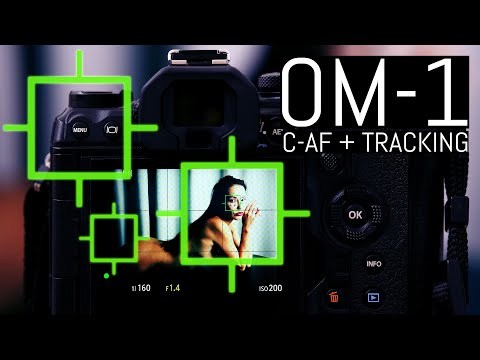
Thomas Eisl has produced a new comprehensive guide to using AF in the OM-1 (superseding his earlier one that some have criticised) with its various forms & applications in this new (24th March 2023) video (dispelling some wild claims from some that should know better, not using the OM-1 as it was designed but using it "the way I've always done it" being hardly fair).
Thomas is not an OM Ambassador with any limits or biases with his comments but a professional photographer keen on using the camera to the best of its capability & not assuming one mode fits all circumstances.
Anyhow, I encourage a view of his latest video as he explains the different forms & options & also little details not commonly known & play it at 1.5 times speed if you like too.

I feel he has covered most of it very well in his advice & descriptions (I say most, because there will be those that may have their own little methods in some situations).
EDIT: In my case I like to continue to use my cameras with the 4 way buttons set to Direct Function. At the moment for the OM-1 I have the right set to MF & the down to WB.
BTW, the quickest check for what button is programmed for what Function is to click on (or double tap) * in the SCP.
I also have AF-ON set to Subject Detection to toggle ON & OFF (the last Subject being used comes up).
To trigger the use of Magnify Function for the Focus frame (which can also be activated from the Touch Screen) I have the Exp Comp button programmed to MultiFunction similar to E-M1 II with the Fn 2 button & I generally leave it on Magnify, although it is easy to select other Functions within the list of Functions available (press & hold Ex Comp button & rotate rear wheel) which can be tailored in Menu 5.Grid/Other Displays, Multi Function Settings.
ADDITIONIONAL VIDEO.
It would be good if users give some feedback here on how Thomas's suggestions perform for your situations.
Thanking you.

Thomas is not an OM Ambassador with any limits or biases with his comments but a professional photographer keen on using the camera to the best of its capability & not assuming one mode fits all circumstances.
Anyhow, I encourage a view of his latest video as he explains the different forms & options & also little details not commonly known & play it at 1.5 times speed if you like too.
I feel he has covered most of it very well in his advice & descriptions (I say most, because there will be those that may have their own little methods in some situations).
EDIT: In my case I like to continue to use my cameras with the 4 way buttons set to Direct Function. At the moment for the OM-1 I have the right set to MF & the down to WB.
BTW, the quickest check for what button is programmed for what Function is to click on (or double tap) * in the SCP.
I also have AF-ON set to Subject Detection to toggle ON & OFF (the last Subject being used comes up).
To trigger the use of Magnify Function for the Focus frame (which can also be activated from the Touch Screen) I have the Exp Comp button programmed to MultiFunction similar to E-M1 II with the Fn 2 button & I generally leave it on Magnify, although it is easy to select other Functions within the list of Functions available (press & hold Ex Comp button & rotate rear wheel) which can be tailored in Menu 5.Grid/Other Displays, Multi Function Settings.
ADDITIONIONAL VIDEO.
It would be good if users give some feedback here on how Thomas's suggestions perform for your situations.
Thanking you.


 Most times it will anyhow.
Comment